
The essentials in 30 seconds
Midjourney generates images from a text description. In 2026, the tool is accessible via its website — no longer just through Discord like in the early days. You can get started in minutes; mastery takes a few hours.
- You create an account, pick a subscription, and generate from the web interface.
- The core of the whole thing is the prompt: a clear description of the subject, style, framing, and mood.
- Each generation produces four images; you can then upscale one or ask for variations.
- Midjourney has no free tier: budget around $10/month for the entry-level subscription.
- It's the tool with the strongest aesthetic output on the market, but less reliable than others for text-in-image and precise control.
Bottom line: Midjourney is the easiest to pick up for beautiful images, as long as you're okay with it being paid and imperfect on fine control.
Before you start: what Midjourney does, and doesn't do
Midjourney is an image generator. You describe, it draws. It excels at aesthetics: moods, illustrations, visual concepts, stylized renders. That's the source of its reputation, and our Midjourney vs Flux duel confirms its lead on raw quality.
That said, it has real limitations. Text in images is still shaky: a word displayed on a sign will often come out garbled. Precise control of a composition — "this character exactly here, in this pose" — takes patience and multiple tries. And you don't control everything: Midjourney builds in a dose of randomness.
If you're primarily after control or a free option, read our guide on free Midjourney alternatives before going further. If you want the best-looking output and budget isn't a blocker, keep reading.
Step 1: create an account and choose a subscription
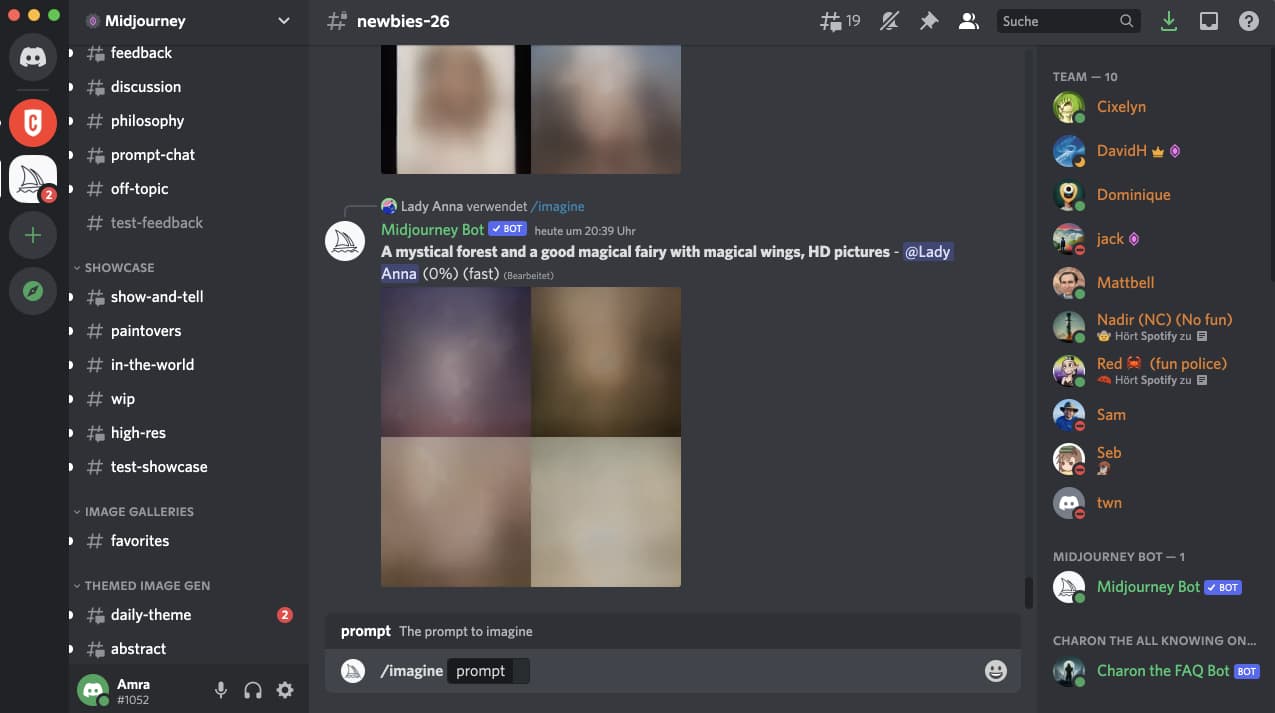
Head over to the Midjourney website. Account creation takes a few clicks, via Discord or Google depending on available options.
Midjourney has no free plan. The entry subscription runs around $10/month and gives you a quota of generation time. Higher tiers increase that quota and unlock a faster generation mode. For getting started, the basic subscription is more than enough: you'll quickly figure out from use whether you need more.
Practical tip: go with the cheapest monthly plan for your first month. You'll know fast whether the tool works for you, and you can adjust from there.
Step 2: understand the interface
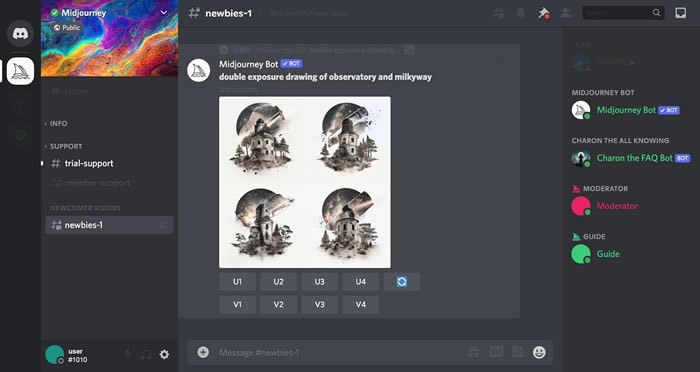
From the web interface, you have a field to write your prompt and a gallery displaying your generations. Each request produces a grid of four images. Under each grid, you can:
- Upscale an image, to get a high-definition version of it.
- Ask for variations of an image you like, to explore around it.
- Re-run the prompt to get four new proposals.
That's it. The interface is deliberately simple. The complexity lies elsewhere: in the prompt.
Step 3: write a good prompt
A Midjourney prompt isn't a magic phrase — it's a structured description. Here are the ingredients that matter, in order of importance.
The subject. Say clearly what: "a red fox", "a modern kitchen", "an astronaut". Be concrete.
The style. This changes everything. "Photography", "watercolor illustration", "3D render", "vintage poster style". Without a style indication, Midjourney chooses for you — and rarely well.
Framing and light. "Close-up", "wide shot", "top view", "soft morning light", "backlit". These details guide the result enormously.
The mood. "Calm atmosphere", "dramatic scene", "warm tones". One or two words is enough.
A concrete example of progression. The prompt "a cat" gives a generic image. The prompt "close-up photograph of a sleeping ginger cat on a windowsill, soft morning light, warm tones" gives an image you can actually use. The difference isn't length — it's precision.
Write your prompts in English: Midjourney understands them better, even if French works partially. And don't pile on thirty keywords: a clear, hierarchical prompt beats a catch-all list.
Step 4: the useful parameters
Midjourney accepts parameters added at the end of the prompt. Three are worth knowing from the start.
Image format. By default, Midjourney generates square images. You can request landscape or portrait formats, which is essential depending on the final use — banner or story, for example.
Stylization level. A parameter controls how much Midjourney applies its in-house aesthetic. The higher it is, the more artistic the result — but further from your literal request. The lower it is, the closer the image sticks to the prompt but loses some flair.
Reference images. You can provide an input image to guide the style or composition of the result. This is the most powerful lever for maintaining visual consistency across multiple generations.
Don't try to master everything at once. Start with format and subject, add the rest progressively.
Step 5: iterate intelligently
The first grid of four images is rarely the right one. That's normal, and that's where the real work happens.
If one image is almost right, ask for variations: you explore around it. If none of them work, adjust the prompt rather than re-running it identically: change the style, specify the framing, remove an element. If one image you like, upscale it for the final version.
The beginner mistake is re-running the same prompt hoping for a miracle. Midjourney doesn't magically figure out what you want better on the tenth try. You have to tell it better.
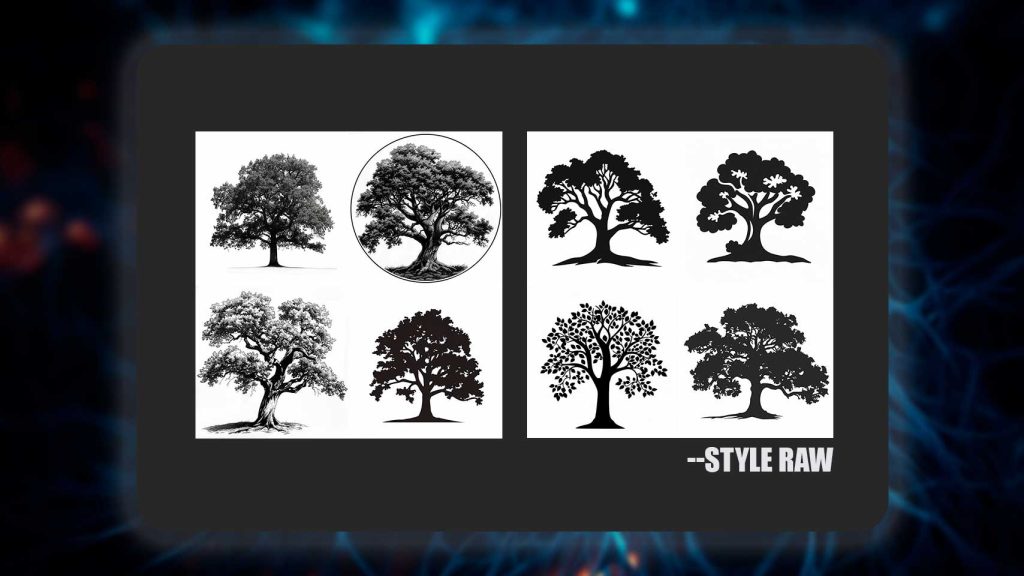
Table: beginner mistakes and how to fix them
| Common mistake | Consequence | Fix |
|---|---|---|
| Prompt too vague | Generic images | Specify subject, style, framing |
| No style indication | Unpredictable output | Always name a style |
| Stacking keywords | Confused image | Prioritize, keep the essentials |
| Expecting readable text | Garbled words | Avoid it, or add text afterward |
| Re-running without changing anything | Same flaws | Adjust the prompt with each try |
| Wanting pixel-perfect control | Frustration | Accept the randomness, or switch tools |
Should you choose Midjourney
Midjourney is the right choice if your primary goal is image beauty and you're okay with two trade-offs: paying, and letting go of some control. For illustrations, moodboards, concept visuals — it's hard to beat.
If you need clean text in the image, precise control, or simply a free option, check out the AI for image category and our comparison. Flux and other engines have their own strengths, especially around integration and partial free access.
Verdict
Midjourney is the easiest image generation tool to pick up for strong aesthetic results. Account creation takes minutes, your first decent render arrives within half an hour, and mastery builds up over a few hours of practice.
Its limits are known and owned: it's paid, text in images is still shaky, and fine control takes patience. If you're after beauty over precision, this is the tool. If you want control or free, there are other routes.
Frequently asked questions
How do you use Midjourney as a beginner?
Create an account on the Midjourney website, get the entry subscription, then write a structured prompt: subject, style, framing, mood. Each request produces four images; upscale the one you like or ask for variations. Mastery comes with prompt practice.
Is Midjourney free?
No. Midjourney has no free tier in 2026. The entry subscription runs around $10/month. If you're looking for a no-cost option, check out our guide on free alternatives.
Do you still need Discord to use Midjourney?
No. Midjourney is now usable directly via its web interface. Discord remains an option, but it's no longer the only access point like it was in the early days.
Why don't my Midjourney images look like what I want?
Most of the time, the prompt is too vague or lacks a style indication. Specify the subject, name a style, add framing and light. And adjust the prompt with each try instead of re-running the same one.
Can Midjourney write text in an image?
Poorly. Text displayed in a Midjourney-generated image often comes out garbled. For a visual with clean text, it's better to add the text afterward with an editing tool, or choose a generator that handles this better.
Keep reading
Free Midjourney Alternatives: 6 Tools Tested in 2026
The best free alternatives to Midjourney in 2026. What's actually free, the limits of each tool, and which one to pick for your use case.
Best MCP Servers in 2026: Joute's picks for connecting Claude, Cursor, and the rest
Top useful MCP servers in 2026: filesystem, GitHub, browser, database. Which ones to install first on Claude Desktop, and which ones to skip.
MCP vs API: why the protocol changes everything for connecting an AI
MCP or REST API for getting an AI to work with your tools? We compare both approaches: dev effort, security, longevity, and when each one is worth it.