
The essentials in 30 seconds
The Model Context Protocol, or MCP, is an open standard that lets an AI connect to external tools and data. Around this protocol, an ecosystem has formed: servers that expose capabilities, registries that catalog them, platforms that host them, tools that observe what's happening.
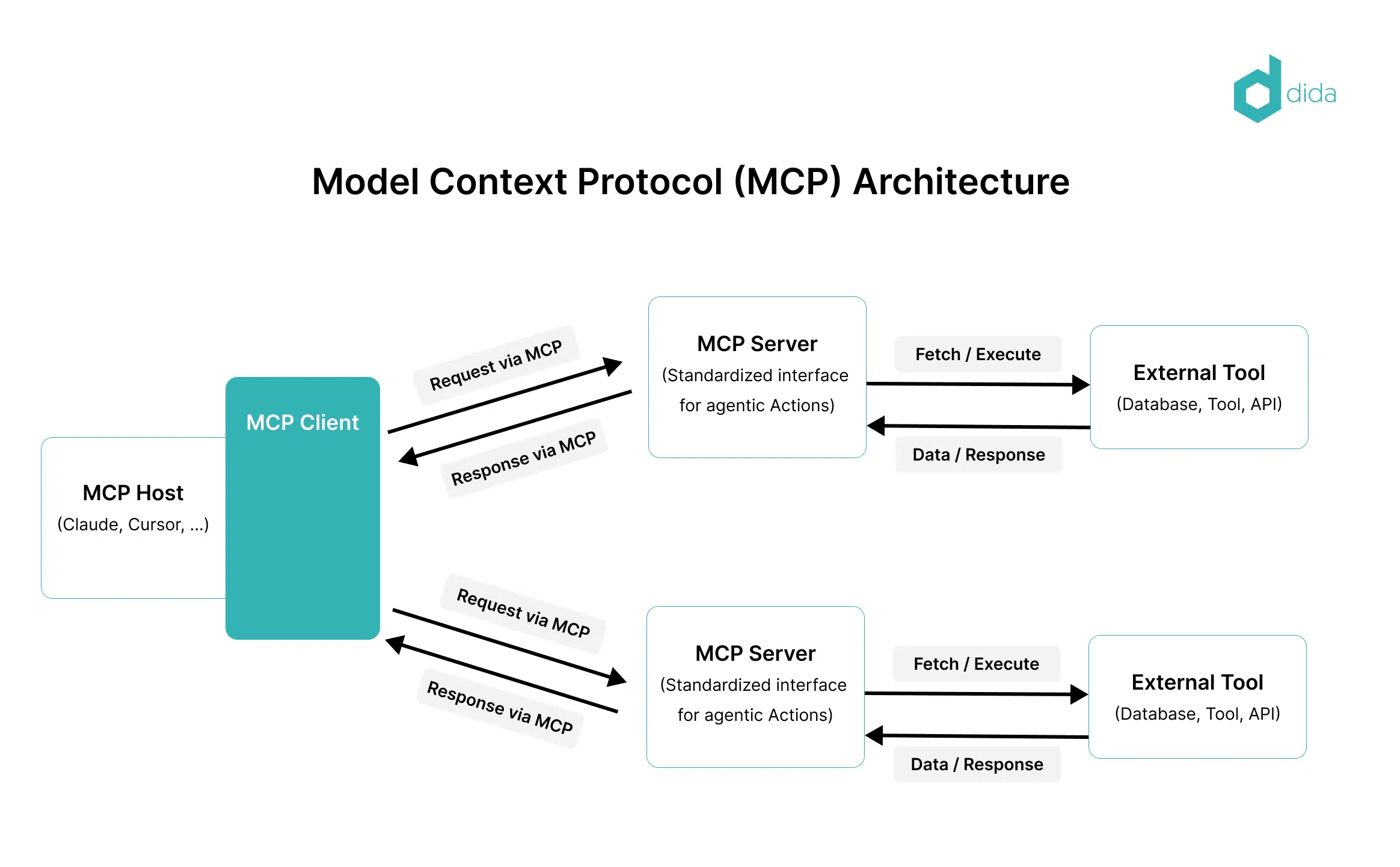
- An MCP server is a small program that gives an AI a specific capability: reading files, querying a database, calling an API, controlling a browser.
- You're not starting from scratch: registries like Smithery or Glama catalog hundreds of ready-to-use servers.
- Platforms like Composio handle authentication and hosting for you, which is a game-changer for serious use.
- The real challenge isn't just connecting servers — it's knowing which ones are reliable, and monitoring what they do.
Bottom line: MCP is a protocol, but the ecosystem around it — registries, managed platforms, observability — is what makes it actually usable.
MCP in one sentence, then the ecosystem
If you're new to the topic, start with our MCP guide for Claude: it explains the protocol itself, what it solves, and how to activate it in a client. Here, we assume you've got the basics and we're looking at the ecosystem.
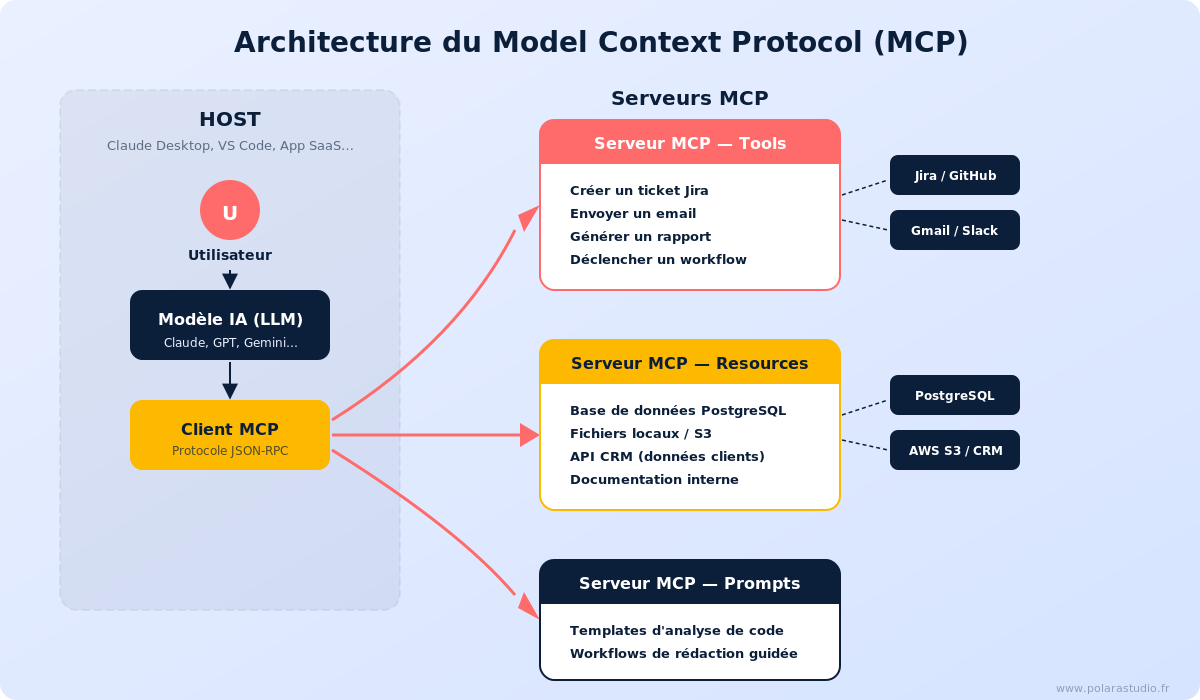
One-sentence recap: MCP standardizes how an AI — the client — talks to tools — the servers. A compatible client can talk to any compatible server, no custom code needed.
What's changed since the protocol launched is everything that's been built around it. At launch, connecting an MCP server meant finding it, installing it, configuring it, and managing its access manually. In 2026, entire layers of tooling handle that work for you. That ecosystem is what makes the difference between a technical curiosity and a production tool.
MCP servers: the basic building block
An MCP server does one thing and does it well. A few common families.
Data servers. File systems, databases, spreadsheets. They give the AI read access — sometimes write access — to your data.
API servers. GitHub, a project management tool, a CRM. The server translates protocol calls into calls to the real service.
Action servers. Browser, terminal, code execution. These are the most powerful and the most sensitive: they let the AI act, not just read.
Every server you activate is an added capability for the AI — and an open door. The question is never just "what can this server do," but "what am I giving it access to, and do I trust its code." That's also why action servers deserve the most caution.
Registries: where to find reliable servers
Most of the time you don't write your own servers. You pull them from a registry.
| Tool | Role | Model |
|---|---|---|
| Smithery | Public registry of MCP servers | Freemium |
| Glama | Registry and managed platform | Freemium |
| Composio | Managed MCP integrations, unified auth | Freemium |
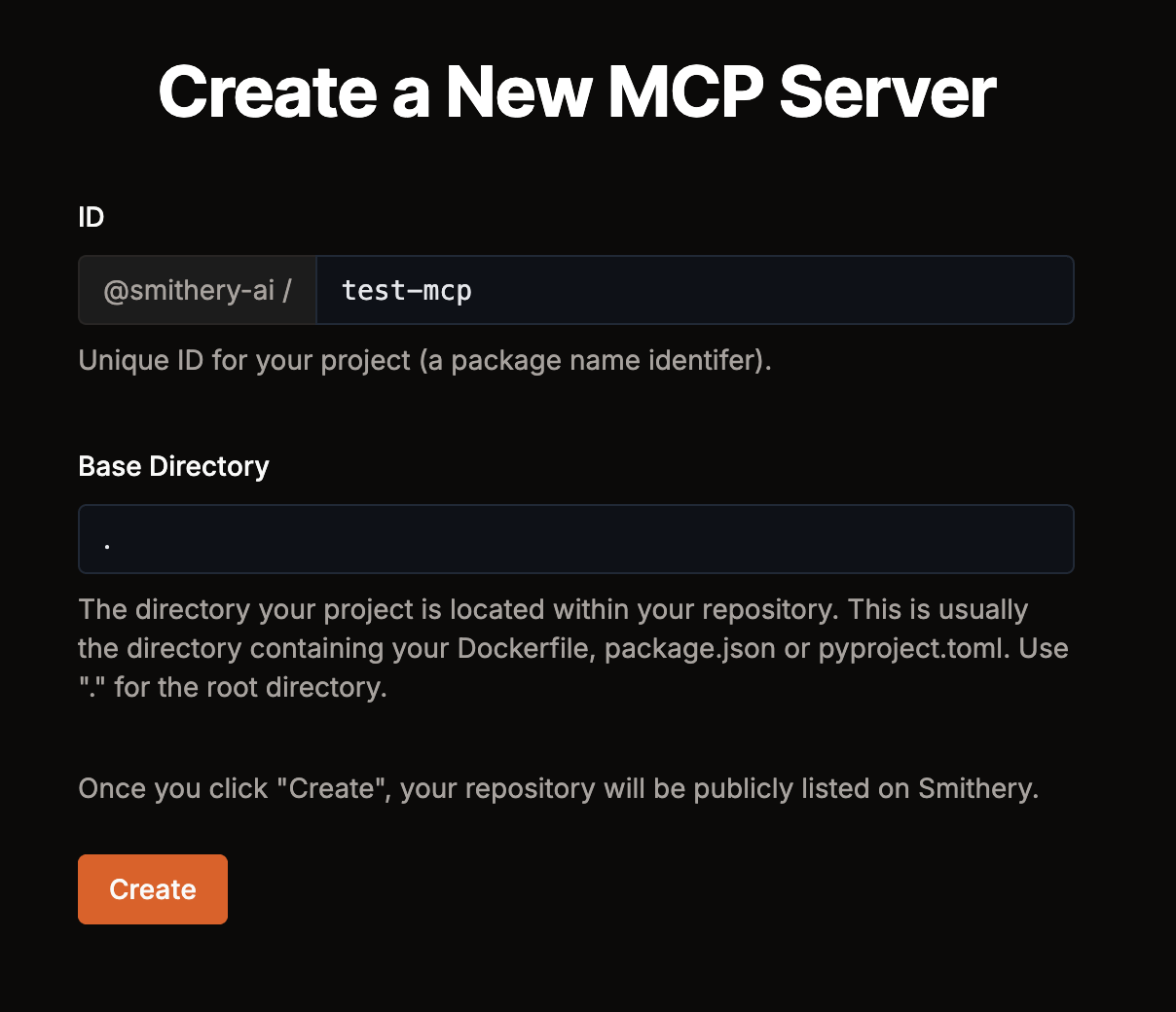
Smithery. Smithery is often described as the Docker Hub of MCP: a public catalog to search, compare, and pull servers from. The natural starting point when you're looking for a server for a specific need.
Glama. Glama combines a registry and a managed platform. Beyond cataloging, it helps you run servers without managing everything yourself.
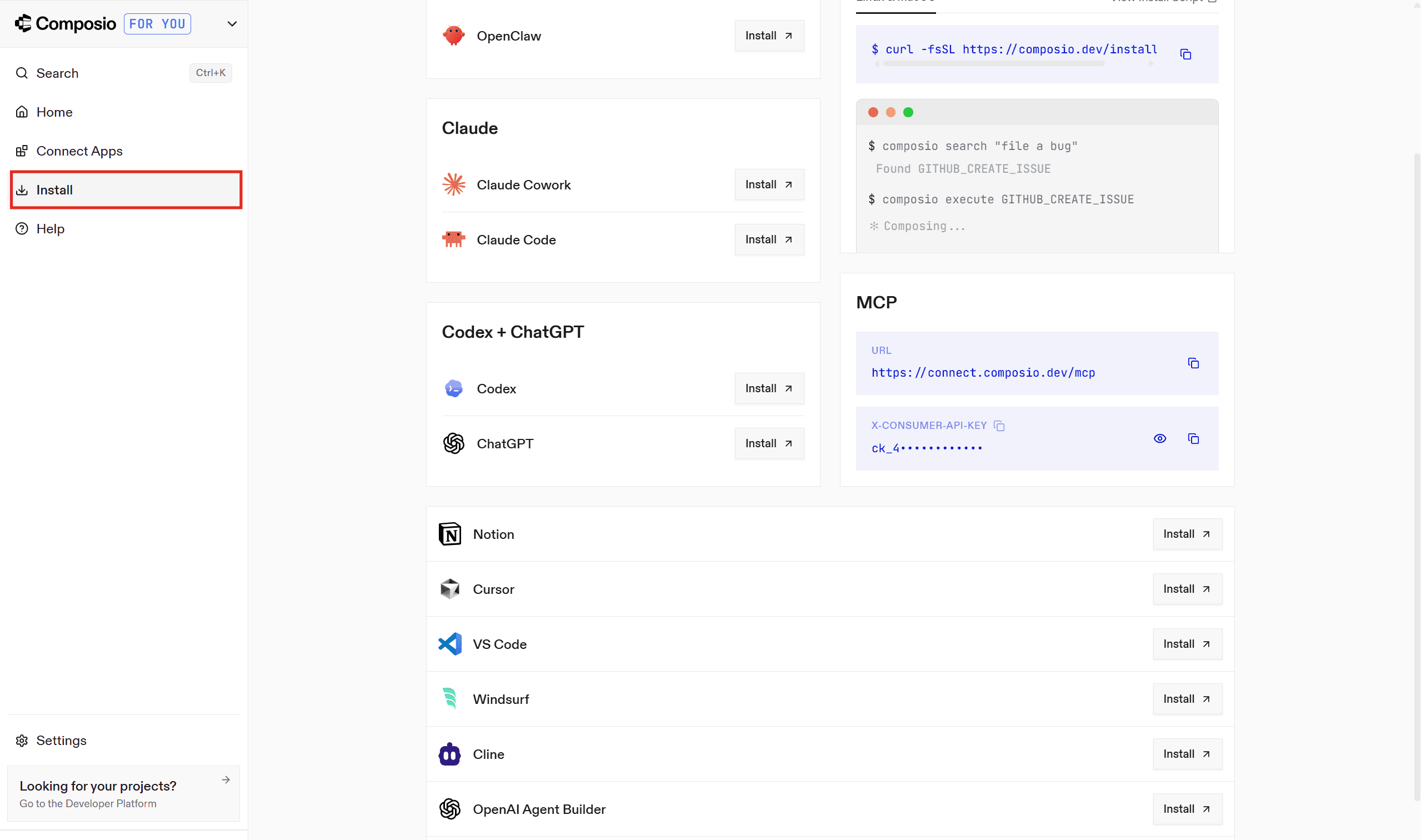
Composio. Composio plays a different angle: hundreds of managed MCP integrations with unified authentication. Auth is the biggest pain point in practice — properly connecting each service's auth — and Composio handles that for you.
The same caution applies here: a server found in a registry isn't automatically safe. Check its origin, its popularity, who maintains it. The MCP & connectors category lists the tools referenced on Joute.
Frameworks and observability: the rest of the ecosystem
Connecting servers isn't enough if you're building something serious. Two families of tools complete the picture.
LLM frameworks. LangChain and LlamaIndex are used to build the applications that consume these servers: orchestrating calls, indexing and searching through your data, managing context. An agent framework like LangGraph naturally relies on MCP servers to give its agents capabilities.
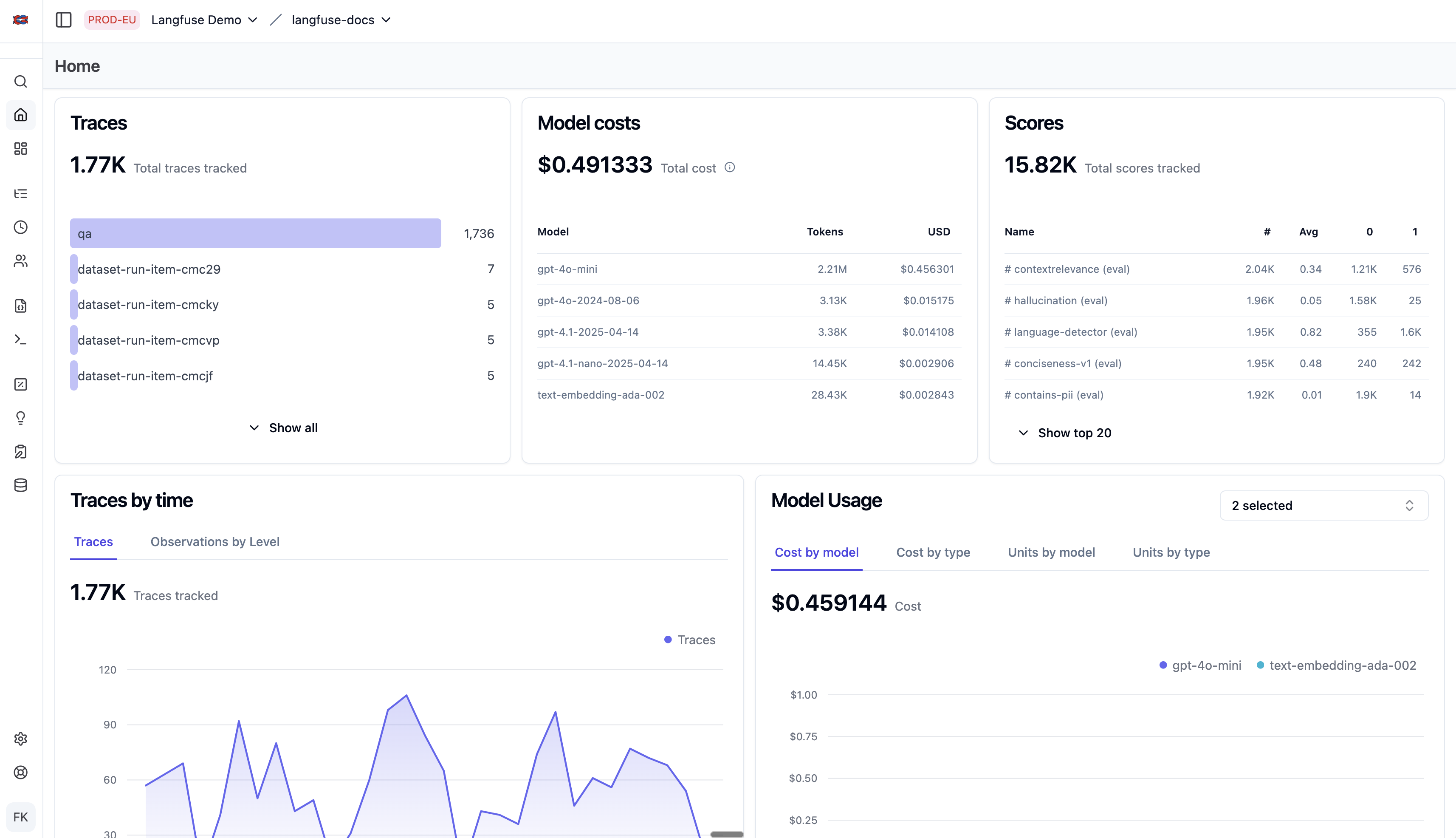
Observability. As soon as an AI calls tools in a chain, you need to be able to replay what happened. Langfuse, LangSmith, and Helicone trace calls, measure costs, and catch errors. Without this layer, you're flying blind.
Worth mentioning too: proxies like LiteLLM, which unify access to many models behind a single API. Combined with MCP, they give you a clean architecture: a proxy for models, MCP servers for tools, an observability layer on top.
How to choose, based on your use case
You're testing the concept. Keep it simple: a compatible client, one or two servers pulled from Smithery, connected manually. No need for a platform at this stage.
You're building a regular workflow. Go with a managed platform like Composio or Glama. Managing authentication and hosting for each server yourself quickly becomes a hidden cost; delegating it frees up real time.
You're deploying to production. Add the observability layer — non-negotiable. You need to be able to answer "what did the AI do, how much did it cost, where did it fail." Langfuse, LangSmith, or Helicone depending on your stack and budget.
Same rule as everywhere: start small, watch what happens, then expand. An MCP ecosystem assembled at scale before you've seen it work at small scale is one you don't actually control.
The limits to keep in mind
The security surface grows with every server. The more servers you connect, the more doors you open. The discipline is to only activate what's necessary and to limit permissions to the strict minimum.
The cost of chained calls. A tool-enabled AI calls models and servers many times for a single task. Without cost observability, the bill will surprise you.
The ecosystem is young. MCP is a recent standard — supported and promising — but the ecosystem moves fast. Building a critical dependency on it is a reasonable bet, not a certainty. Keep a backup plan for the essential components.
Verdict
MCP isn't just a protocol — it's become an ecosystem, and that ecosystem is what makes it actually usable. Registries save you search time, managed platforms get rid of the authentication headache, observability gives you back control. Taken together, these tools turn a solid protocol idea into usable infrastructure.
Two constant concerns: security — every server is an access point, treat it as such — and longevity, the ecosystem is young. With those caveats, the MCP approach is one of the healthiest ways to connect an AI to your real data and real tools. Start simple, measure what's happening, and only expand what you can monitor.
Frequently asked questions
What is an MCP server?
An MCP server is a small program that exposes a specific capability to an AI via the Model Context Protocol: reading files, querying a database, calling an API, controlling a browser. The AI client calls the server when it needs that capability.
Where can I find reliable MCP servers?
In registries like Smithery — often described as the Docker Hub of MCP — or Glama. Composio offers hundreds of managed integrations. Always check a server's origin, popularity, and maintainer before activating it.
Do you need a managed platform to use MCP?
No for testing, yes for serious use. Connecting a few servers manually is fine for discovering the concept. Once the use becomes regular, a platform like Composio or Glama that handles authentication and hosting will save you real time.
MCP vs LangChain — what's the difference?
MCP is a connection protocol between an AI and tools. LangChain is a framework for building LLM applications. The two complement each other: an application built with LangChain can consume MCP servers to access tools and data.
How do you monitor what an AI connected via MCP is doing?
With an observability layer like Langfuse, LangSmith, or Helicone. These tools trace every call, measure costs, and catch errors. In production, this layer is essential for replaying and debugging what the AI did.
Keep reading
Best MCP Servers in 2026: Joute's picks for connecting Claude, Cursor, and the rest
Top useful MCP servers in 2026: filesystem, GitHub, browser, database. Which ones to install first on Claude Desktop, and which ones to skip.
MCP vs API: why the protocol changes everything for connecting an AI
MCP or REST API for getting an AI to work with your tools? We compare both approaches: dev effort, security, longevity, and when each one is worth it.
MCP: What Is It? Model Context Protocol Simply Explained
MCP, Model Context Protocol: the simple definition, what it's for, how it works, and why this open standard changes how AIs talk to your tools.