
JetBrains AI Assistant vs GitHub Copilot, the verdict in 2026
Should you go with JetBrains AI Assistant or GitHub Copilot in 2026? Comparison table, pricing, obsolescence risk. GitHub Copilot wins in our book — here's why.

Updated · 7 min read
The essentials in 30 seconds
- JetBrains AI Assistant: AI natively integrated into JetBrains IDEs.
- GitHub Copilot: the code assistant integrated with GitHub and VS Code.
- Near-identical pricing: $9/month for both. The difference will come from heavy usage, not the entry ticket.
Verdict: GitHub Copilot, for the majority of use cases.
The comparison table
| Criteria | JetBrains AI Assistant | GitHub Copilot |
|---|---|---|
| Entry price | $9/month | $9/month |
| Business model | Freemium | Freemium |
| Catalog category | code | code |
| Target profile | All profiles | All profiles |
| Official site | jetbrains.com | github.com |
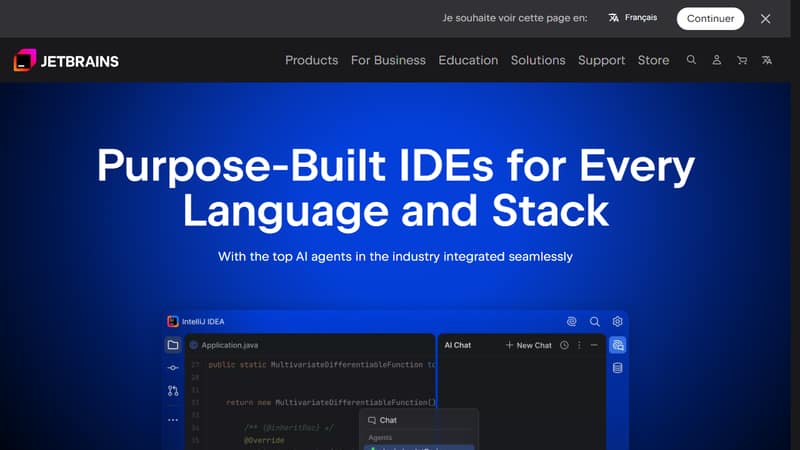
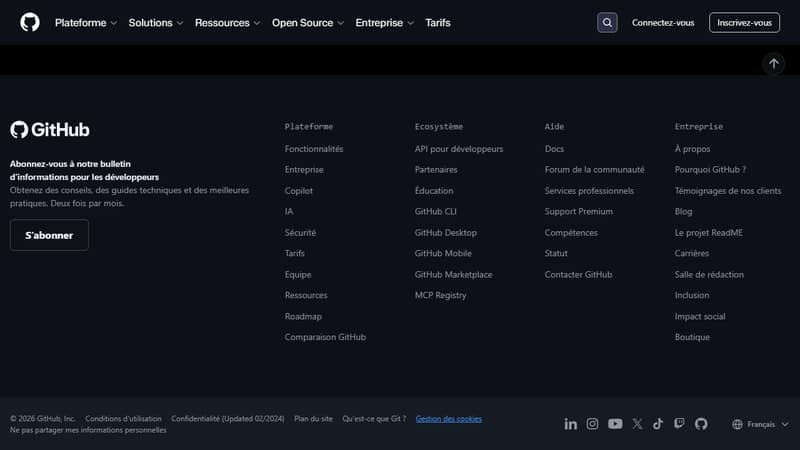
Both tools, on screen
| JetBrains AI Assistant | GitHub Copilot |
|---|---|
 |  |
| jetbrains.com | github.com |
Actual screenshots of both homepages in May 2026, unedited.
Who should pick JetBrains AI Assistant
You pick JetBrains AI Assistant if AI natively integrated into JetBrains IDEs matches your actual need and freemium, with a paid tier at $9/month, fits your budget. It's built for everyday generalist use cases.
Who should pick GitHub Copilot
You pick GitHub Copilot if the code assistant integrated with GitHub and VS Code is what you're looking for and freemium, with a paid tier at $9/month, works for you. It's built for everyday generalist use cases.
Good signal: 8/10 verifiability — this tool holds up over time.
The real cost over 12 months
At the entry level, both tools run at $108 over 12 months. The gap will show up elsewhere: quotas, higher tiers, or team features. For heavy usage, budget 1.5 to 2× the listed price — that's around $184 for the real annual cost.
The 2026 context
The AI for coding category is moving fast in 2026, and choosing between JetBrains AI Assistant and GitHub Copilot isn't just about price or features. Three underlying forces are shaping the market.
First, the big models are swallowing wrappers. Any tool whose value depends on a system prompt or a UX layer on top of an LLM is exposed: Claude, GPT, and Gemini are integrating these functions natively with every release. That's the whole point of Joute's verifiability score — it flags the tools that can withstand this dilution.
Then, pricing is getting murky. Credits, tokens, quotas, tiers: the price shown on the pricing page is rarely the actual price in practice. That's true for both tools here, which is exactly why we document the annual cost above.
Finally, the market is going European. Publishers are integrating French language support, euro billing, and GDPR compliance. Whether you're on JetBrains AI Assistant or GitHub Copilot, check where your data is hosted before committing at the enterprise level.
Pitfalls to avoid
Three common mistakes when choosing between these two tools, regardless of which one you end up with.
Comparing the entry price and forgetting the total cost. The monthly price shown is almost always the lowest tier, calculated on annual billing. On monthly billing, that's 15 to 25% more expensive. And with quotas eating through your allowance, budget 1.5 to 2× the listed price for daily pro usage.
Deciding based on a demo. Every AI tool vendor knows how to run a demo that looks impressive. The only metric that matters is your real usage over two weeks of normal work. All serious tools have a free trial: use it on a real task, not the perfect demo use case.
Ignoring the ecosystem. An isolated tool is worth less than a well-integrated one. Before you decide, check the native connectors (Slack, Notion, GitHub depending on your stack), API quality, and the extensions community. JetBrains AI Assistant and GitHub Copilot have different ecosystems, and that's often what tips a 12-month decision.
The ecosystem factor
An isolated AI tool is worth less than a well-integrated one. Before you commit, take stock of native connectors (Slack, Notion, GitHub, your CRM depending on the stack), API quality and documentation, and the depth of the extension or plugin marketplace.
GitHub Copilot has a clear edge here: wide adoption attracts community contributions. JetBrains AI Assistant partially compensates with a more permissive API, but integration friction remains higher at setup.
Verdict
GitHub Copilot wins this duel. GitHub Copilot is our pick here. The loser isn't bad — it just targets a narrower use case or carries a hidden cost that GitHub Copilot avoids.
To dig deeper, check out the AI for coding category or open the comparator to pit them head-to-head on your own criteria. You can also browse the detailed pages: JetBrains AI Assistant and GitHub Copilot.
Frequently asked questions
JetBrains AI Assistant or GitHub Copilot for beginners?
GitHub Copilot, because it works for the majority of use cases. JetBrains AI Assistant is still a solid plan B for profiles that fall outside the mainstream (category-specific use cases).
Which one is cheaper at real-world usage?
Both list at $9/month to start. Under heavy usage, expect to often double the bill on either one — quotas and higher tiers kick in fast.
Can you use JetBrains AI Assistant and GitHub Copilot together?
Often yes, as long as the use cases complement each other. JetBrains AI Assistant and GitHub Copilot are in the same category (AI for coding) so there's overlap, but if you're switching between slightly different use cases, a subscription to each isn't absurd.
Is JetBrains AI Assistant free?
Freemium: there's a limited free tier, and the paid subscription starts at $9/month to remove the limits.
Is GitHub Copilot free?
Freemium: there's a limited free tier, and the paid subscription starts at $9/month to remove the limits.
Winner: GitHub Copilot
pour la majorité des usages.