
The essentials in 30 seconds
MCP, short for Model Context Protocol, is an open standard that lets an AI assistant like Claude connect to external tools and data sources: your file system, a database, an API, a GitHub repository. Instead of copy-pasting context into the conversation, the assistant goes and fetches it itself.
- MCP is a protocol, not a product. It's a standardized way to plug tool "servers" into an AI "client."
- On the Claude side, this translates into MCP servers you activate in Claude Desktop or Claude Code to give the assistant direct access to your resources.
- The real benefit: the AI acts on fresh, verifiable data instead of working from whatever you bothered to paste into the prompt.
- The limit: every MCP server you add is an open door. Security and trust in the server matter just as much as the functionality.
Bottom line: MCP is useful as soon as you want Claude to work on your real data rather than a copy-paste. For occasional chat use, you can skip it.
The problem MCP solves
An AI assistant only knows what you give it. When you ask it to analyze a project, you paste files. When you want it to check some data, you paste an excerpt. It's slow, it's partial, and the assistant is working from a snapshot frozen at the moment of copy-paste.
MCP flips the logic. Rather than bringing the context to the AI, you give the AI a standardized way to go fetch it. An MCP server exposes capabilities — reading a file, querying a database, calling an API — and the client, here Claude, uses them when it needs to. The result: the assistant works on up-to-date data, and you can see which resources it consulted.
This is consistent with how Claude and serious code agents already work. A tool like Claude Code reads files on demand instead of loading everything upfront. MCP generalizes that principle beyond the file system.
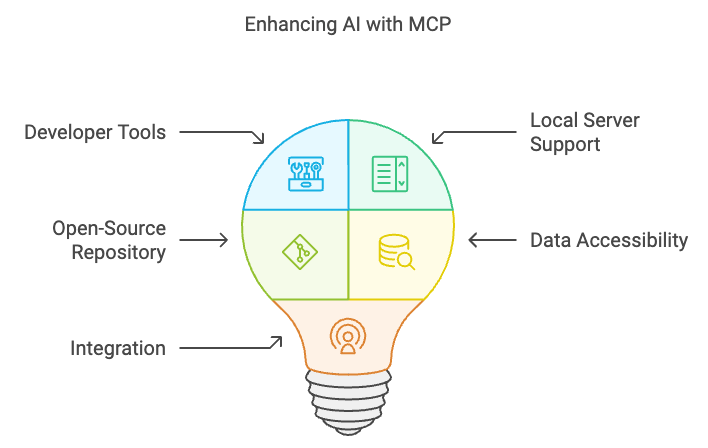
How it works, without jargon
Three pieces make up the picture.
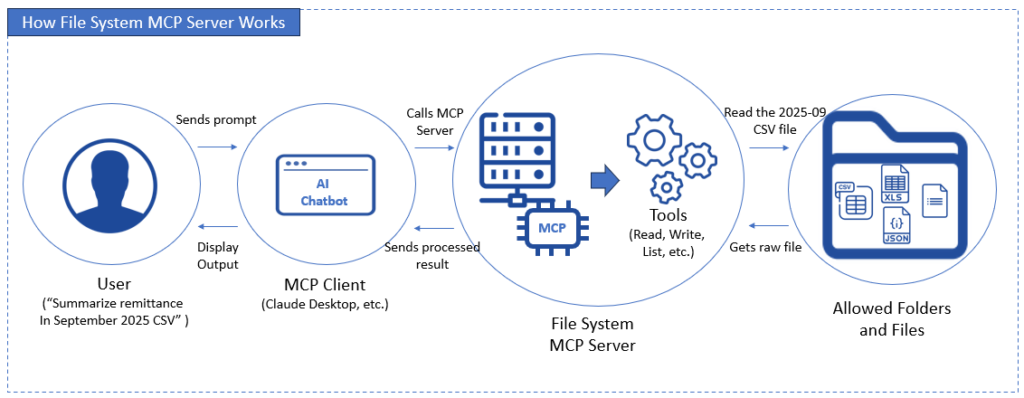
The client. This is the application that contains the AI: Claude Desktop, Claude Code, or another compatible tool. The client decides when to call a tool.
The server. This is a small program that exposes a specific capability. A file system server gives access to a folder. A GitHub server gives access to repositories. A database server lets you run queries. Each server does one thing.
The protocol. This is the common language between the two. Because MCP is an open standard, any compatible client can talk to any compatible server. You're not locked into one ecosystem.
In practice: you activate an MCP "file system" server pointed at your working folder. You ask Claude to summarize recent changes. Claude calls the server, reads the files, and responds. You pasted nothing. To find existing servers, you go through registries like Smithery or Glama, and managed platforms like Composio handle authentication for you. The full overview is in our MCP servers guide.
Installing an MCP server with Claude, step by step
Here's how to set up your first server — the file system one, the most common.
- Choose your client. Claude Desktop for chat use, Claude Code for terminal use. Both support MCP.
- Open the config file. The client reads a configuration file where you declare your servers. In Claude Desktop, it's accessible from the settings; in Claude Code, it's a project config file.
- Declare the server. You specify the server to launch and, for the file system, which folder(s) it's allowed to access. This is where security happens: only grant access to the strict minimum.
- Restart the client. The server starts with the client.
- Verify. Ask Claude to do something that requires the server — for example, list the files in a folder. If it responds with real data, it's wired up.
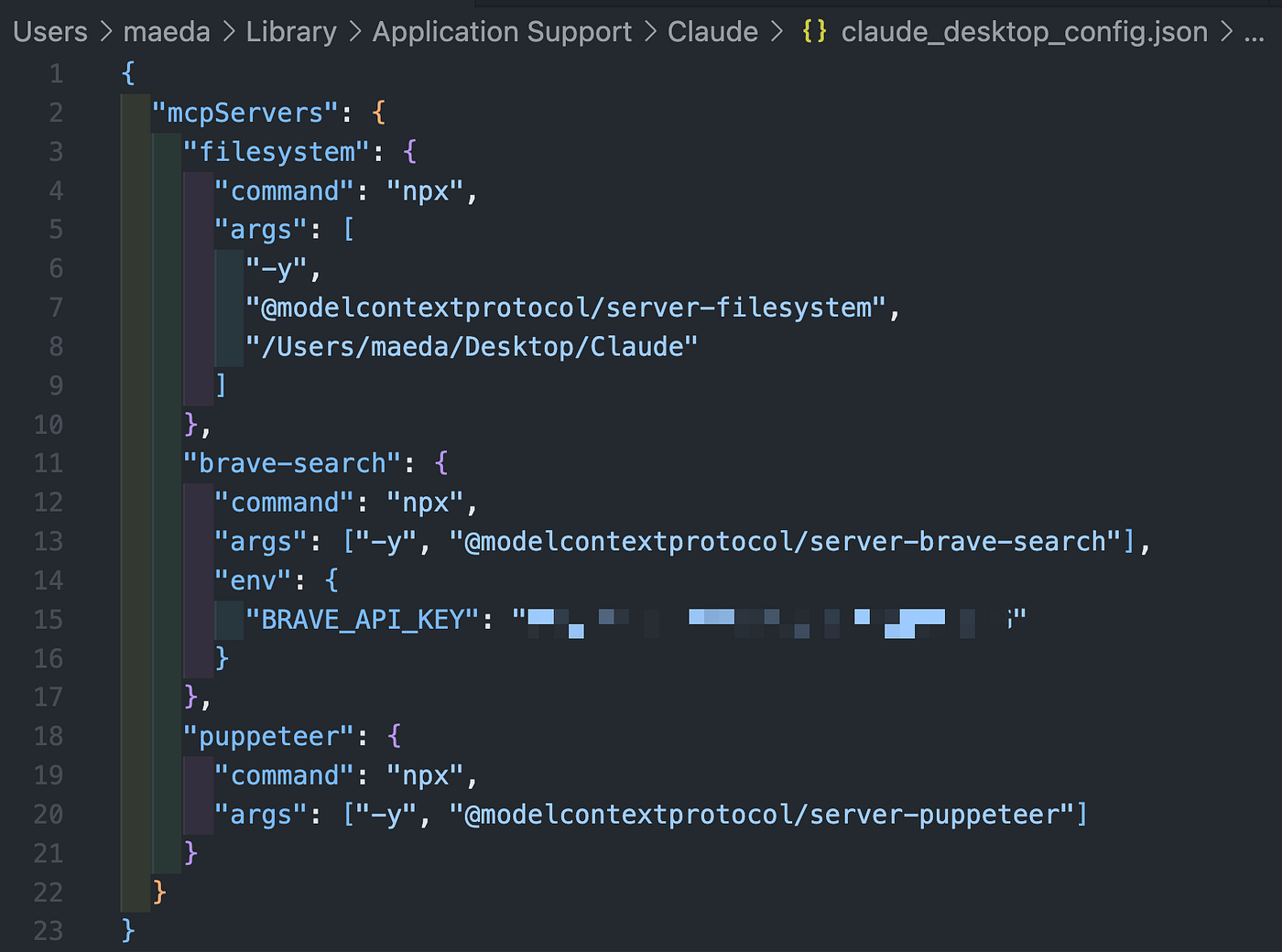
The same pattern applies to other servers: GitHub, database, browser. You declare, restart, verify. The difficulty is never technical — it's deciding what you're giving access to.
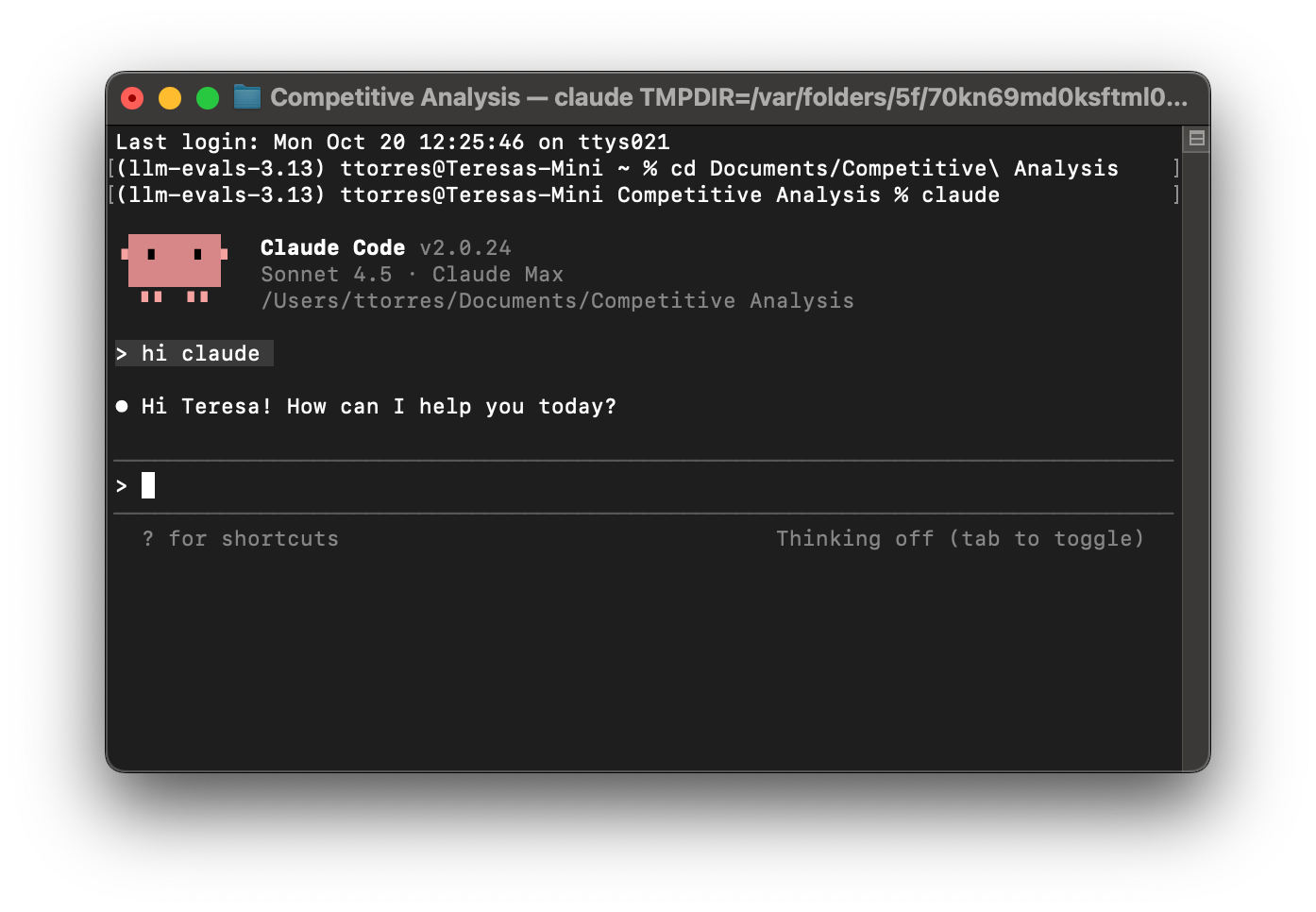
Table: with or without MCP
| Criteria | Without MCP | With MCP |
|---|---|---|
| Data freshness | Frozen at copy-paste | Up to date on every call |
| Manual effort | High — you paste everything | Low — the AI fetches it |
| Verifiability | You know what you pasted | You see which resources were called |
| Security surface | Minimal | One per activated server |
| Setup | None | Configuration per server |
| Relevant for | Occasional chat | Working on your real data |
The limits, because there are some
MCP isn't magic, and that needs to be said clearly.
Every server is a door. An MCP server with access to your file system or database is a trusted component. If you install a poorly written or malicious third-party server, you're giving it the same rights as yourself. Only activate servers whose origin you understand, and limit their permissions to the strict minimum.
It's not a quality guarantee. MCP gives the AI better data. It doesn't make the AI better. Claude can still misinterpret a database or draw the wrong conclusion from a file. You always need to review.
Setup has a cost. For occasional chat use, configuring MCP servers is probably overkill. The value shows up when you're doing the same type of work regularly on the same sources.
Obsolescence risk exists. MCP is young. It's a promising, supported standard, but its long-term adoption isn't guaranteed. Building an entire toolchain on MCP is a reasonable bet, not a certainty.
Do you actually need it
Ask yourself one simple question: are you regularly copy-pasting the same types of data into Claude? If yes, MCP will save you real time and reduce copy-paste errors. If you use Claude as an occasional chat assistant, the configuration effort won't pay off.
MCP shines for developers, analysts, and anyone whose work involves having an AI reason over a living data corpus: a code repository, a database, a set of documents. For everything else, good old copy-paste still gets the job done.
If your topic is broader than MCP, our Claude vs ChatGPT comparison puts the tool in context, and the AI for coding category lists the editors that leverage this kind of capability.
Verdict
MCP is one of the healthiest evolutions in the AI ecosystem: an open standard, prioritizing verifiable data over guesswork, and locking nobody into a single vendor. For anyone working with Claude on real resources, it's a clear net gain.
Two caveats worth keeping in mind. Security first: every server is an access point — treat it as such. Longevity second: the protocol is young, don't build a critical dependency on it without a plan B. With those reservations in mind, MCP is well worth the hour of configuration it takes.
Frequently asked questions
What exactly is Claude MCP?
MCP, or Model Context Protocol, is an open standard that lets Claude connect to external tools and data sources: files, databases, APIs, repositories. The assistant fetches the context itself instead of relying on copy-paste.
How do you install an MCP server with Claude?
You declare the server in your client's config file — Claude Desktop or Claude Code — specifying its permissions. You restart the client, then verify by asking Claude to do something that requires the server.
Is MCP free?
The MCP protocol is open and free. Many reference MCP servers are open source. The cost is your Claude subscription that runs the requests, and potentially the third-party services your servers call.
Is MCP safe?
The protocol itself is safe, but every server you activate is a trusted component with access rights. Only install servers whose origin you know, and limit their permissions to the strict minimum.
Do I need MCP to use Claude?
No. Claude works perfectly well without MCP for conversational use. MCP becomes useful when you want the assistant to regularly work on your real data rather than manually pasted excerpts.
Keep reading
Best AI for coding in 2026: the guide to choosing right
What's the best AI for coding in 2026? Claude, GPT, Cursor, Copilot: comparison of models and tools, prices in dollars, and advice by profile.
The best AI IDEs in 2026: the no-nonsense ranking
Our selection of the best AI IDEs in 2026: Cursor, Windsurf, Copilot, Replit. Prices, weak points, and who each one is built for.
Best MCP Servers in 2026: Joute's picks for connecting Claude, Cursor, and the rest
Top useful MCP servers in 2026: filesystem, GitHub, browser, database. Which ones to install first on Claude Desktop, and which ones to skip.