
The essentials in 30 seconds
"The best AI for coding" isn't a single answer, because the question mixes two things: the model that reasons and the tool that wraps it. Here's the short version.
- For the raw model, Claude is currently the reference for reasoning and code, closely followed by OpenAI and Google's models.
- For the tool you open every day, Cursor remains the best AI editor, at $18/month.
- For long, autonomous tasks launched in the terminal, Claude Code takes the lead.
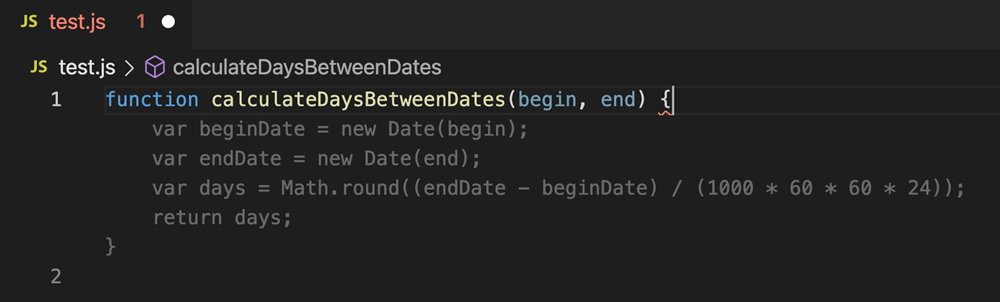
- For tight budgets, GitHub Copilot at $9/month gets the job done.
- None of these tools replaces skill. They accelerate a developer who knows how to read and judge code.
Bottom line: Claude for reasoning, Cursor for daily use, Claude Code for automation, Copilot for budget.
Model or tool: the confusion you need to clear up
When someone asks for the best AI for coding, they usually think of just one thing. In reality there are two, and confusing them leads to bad choices.
The model is the reasoning engine: Claude, GPT, Gemini. It's what understands your request and produces the code. Its quality is measured by the relevance of its responses on hard problems.
The tool is the wrapper: Cursor, Copilot, Claude Code, Replit. It decides how the model connects to your work: autocomplete, agent mode, project reading, review interface. An excellent model in a bad tool wastes your time. A good tool makes even a decent model highly productive.
The good news: most serious tools let you choose the model, or use several. The question isn't "model or tool", but "which tool, connected to which model, for my use case".
Models, ranked for code
Claude
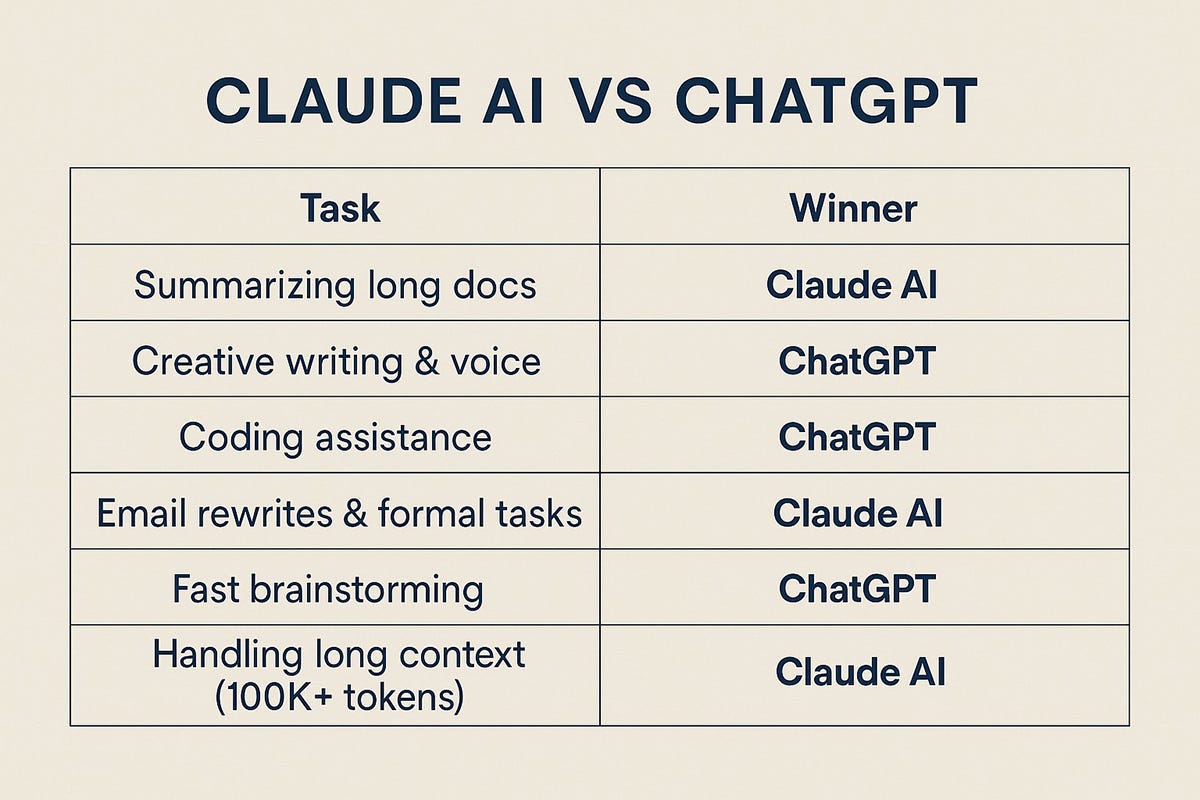
Claude is the current reference for code and reasoning. It follows precise instructions without going off the rails, explains its reasoning in a verifiable way, and holds up well on complex tasks. It's the model that requires the fewest corrections. A direct subscription runs around $19/month. Our Claude vs ChatGPT comparison breaks down the differences.
OpenAI's models
GPT models remain excellent and highly versatile. On code, they're on par with Claude for the majority of tasks, with a slight lag on long reasoning problems. ChatGPT benefits from a massive ecosystem. Budget around $20/month.
Gemini
Gemini has caught up with the front-runners. Google has plugged it into its entire ecosystem, and it's solid on code. The Gemini vs ChatGPT duel shows a tight match. Budget around $22/month.
DeepSeek
DeepSeek is the free outsider. It doesn't beat the best on the hardest tasks, but its value-for-money is unbeatable if your budget is zero. The caveat is about the confidentiality of the code you submit: check that based on what you're coding.
Tools, ranked for code
| Tool | Type | Starting price | Main strength | Obsolescence risk |
|---|---|---|---|---|
| Cursor | Full editor | $18/month | Autocomplete, visual diff | 8/10 |
| Claude Code | Terminal agent | $19/month | Long tasks, traceability | 9/10 |
| GitHub Copilot | VS Code extension | $9/month | Price, GitHub integration | 8/10 |
| Windsurf | Agentic editor | $18/month | Heavy agent approach | 4/10 |
| Replit | Browser + deployment | $20/month | Rapid prototyping | 7/10 |
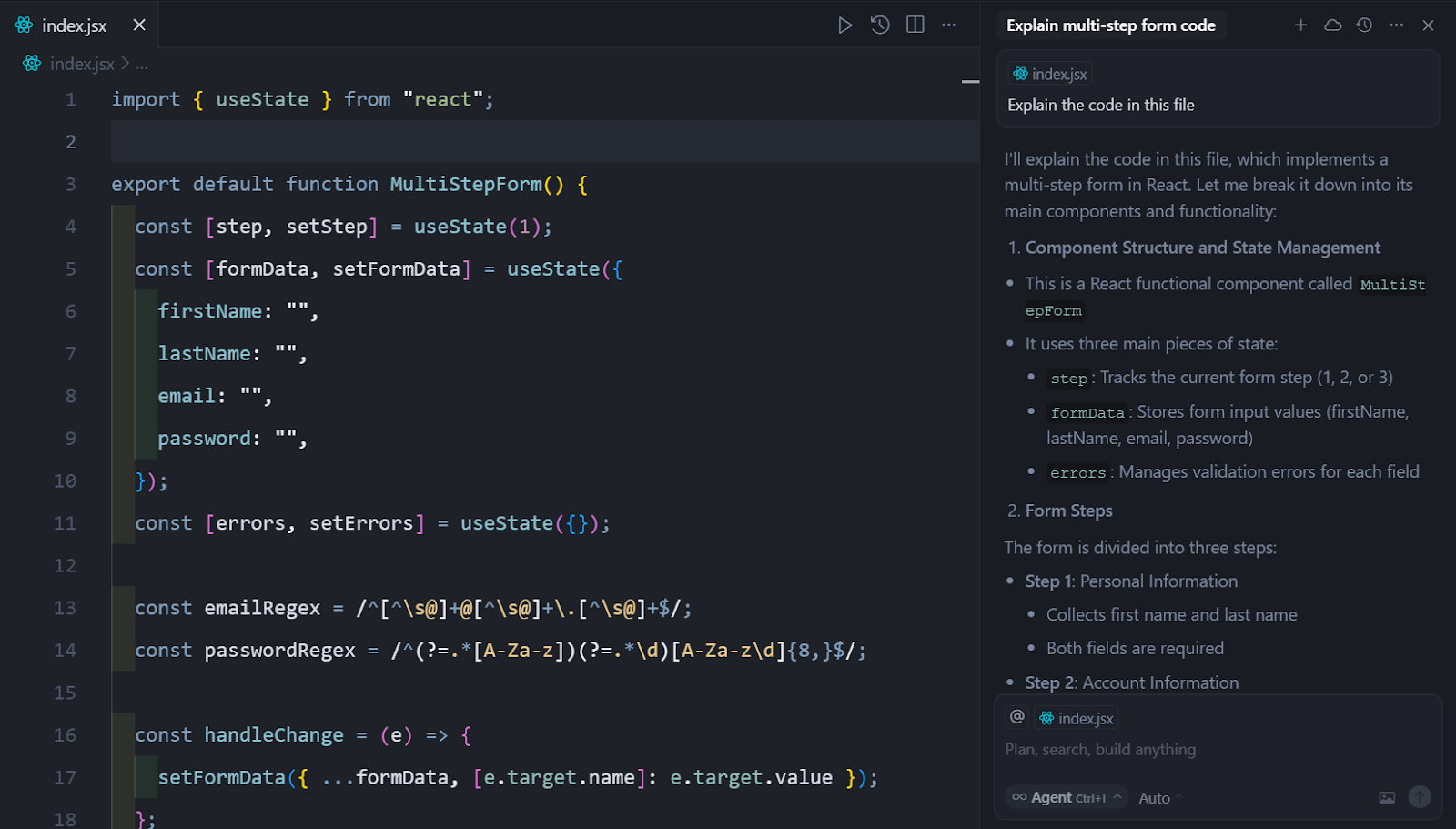
Cursor remains the best daily tool: you open it in the morning, keep it open, and it optimizes the thousands of small interactions in a day of coding. Claude Code is built for autonomy: launched on a task like "migrate all calls to this API", it iterates on its own and exposes every step, which makes honest review possible. For the details, read our Cursor review, the Cursor vs Claude Code duel and our AI IDE ranking.
The best AI for coding, by profile
You're learning to program
No AI as a permanent crutch — and this isn't a moral judgment, it's practical. A tool that codes for you while you're learning robs you of the understanding you're paying for. Use an AI to explain code and answer your questions, never to produce a project you accept without reading it. If you want a chat assistant, free ChatGPT or Claude is enough.
You're a freelancer or staff developer
Cursor connected to Claude. It's the most cost-effective combination: the best daily editor, the best reasoning model. Autocomplete and visual diff save time continuously. Realistic budget: $18 to $40/month depending on intensity.
You automate a lot
Claude Code. If part of your work involves launching repetitive tasks — dependency updates, identical refactors across multiple services — the terminal agent is built for that. Its execution trace makes review easier, and its verifiability is the best of the bunch.
You're on a tight budget
GitHub Copilot at $9/month, or the free versions of Claude and ChatGPT for code chat. DeepSeek if you want a free model, keeping the confidentiality question in mind.
You're prototyping or teaching
Replit. Getting a clickable demo running without configuring an environment is its territory. You can compare everything in the AI for coding category.
The benchmark trap
The model rankings floating around are often based on synthetic benchmarks. They're useful for a rough sense of scale, but they say very little about your real experience. A model that wins a benchmark by a few points can be less pleasant to use daily if the tool wrapping it is bad, or if its response style doesn't suit you.
The only test that matters is yours. All these tools have a free trial. Take a real task from your work, run it on two candidates, and see which one requires fewer corrections. Thirty minutes of testing beats three ranking articles.
Verdict
There's no single best AI for coding in the abstract — and be wary of anyone who claims otherwise. There's a best combination for your use case. For most developers in 2026, that's Cursor connected to Claude: the best daily editor and the best reasoning model. For automation, Claude Code. For budget, Copilot.
And the rule that doesn't change: these tools accelerate a skilled developer, they don't manufacture skill. Outsource the execution, keep the understanding.
Frequently asked questions
What's the best AI for coding in 2026?
For the reasoning model, Claude is the reference. For the daily tool, Cursor. The best combination for most developers is therefore Cursor connected to Claude. For automation, Claude Code takes the lead.
What free AI can I use for coding?
GitHub Copilot offers a limited free plan. Free versions of Claude and ChatGPT work fine for code chat. DeepSeek is a full free model — use it while keeping the confidentiality question in mind.
Claude or ChatGPT for code?
Claude has the edge on long reasoning and following precise instructions, which translates to fewer corrections. ChatGPT remains excellent and more versatile. For pure code, Claude is our recommendation. The detailed comparison gives a sharp verdict case by case.
Do you need to pay for a good AI coding tool?
For occasional use, free versions are enough. For daily professional use, yes: budget $9 to $40/month depending on the tool and intensity. It pays off as soon as the tool saves you more time than it costs.
Can an AI code for me?
It can produce code, but it can't guarantee that code is correct, maintainable, and suited to your context. You always need to read, understand, and judge what it produces. An AI accelerates a developer; it doesn't replace one.
Keep reading
Claude MCP: what it is and how to actually use it
Clear guide on Claude MCP: what the Model Context Protocol does, how to install it, its limits, and whether you actually need it.
The best AI IDEs in 2026: the no-nonsense ranking
Our selection of the best AI IDEs in 2026: Cursor, Windsurf, Copilot, Replit. Prices, weak points, and who each one is built for.
Best MCP Servers in 2026: Joute's picks for connecting Claude, Cursor, and the rest
Top useful MCP servers in 2026: filesystem, GitHub, browser, database. Which ones to install first on Claude Desktop, and which ones to skip.